ER Knob Prototype
A haptic knob for cars without CarPlay.
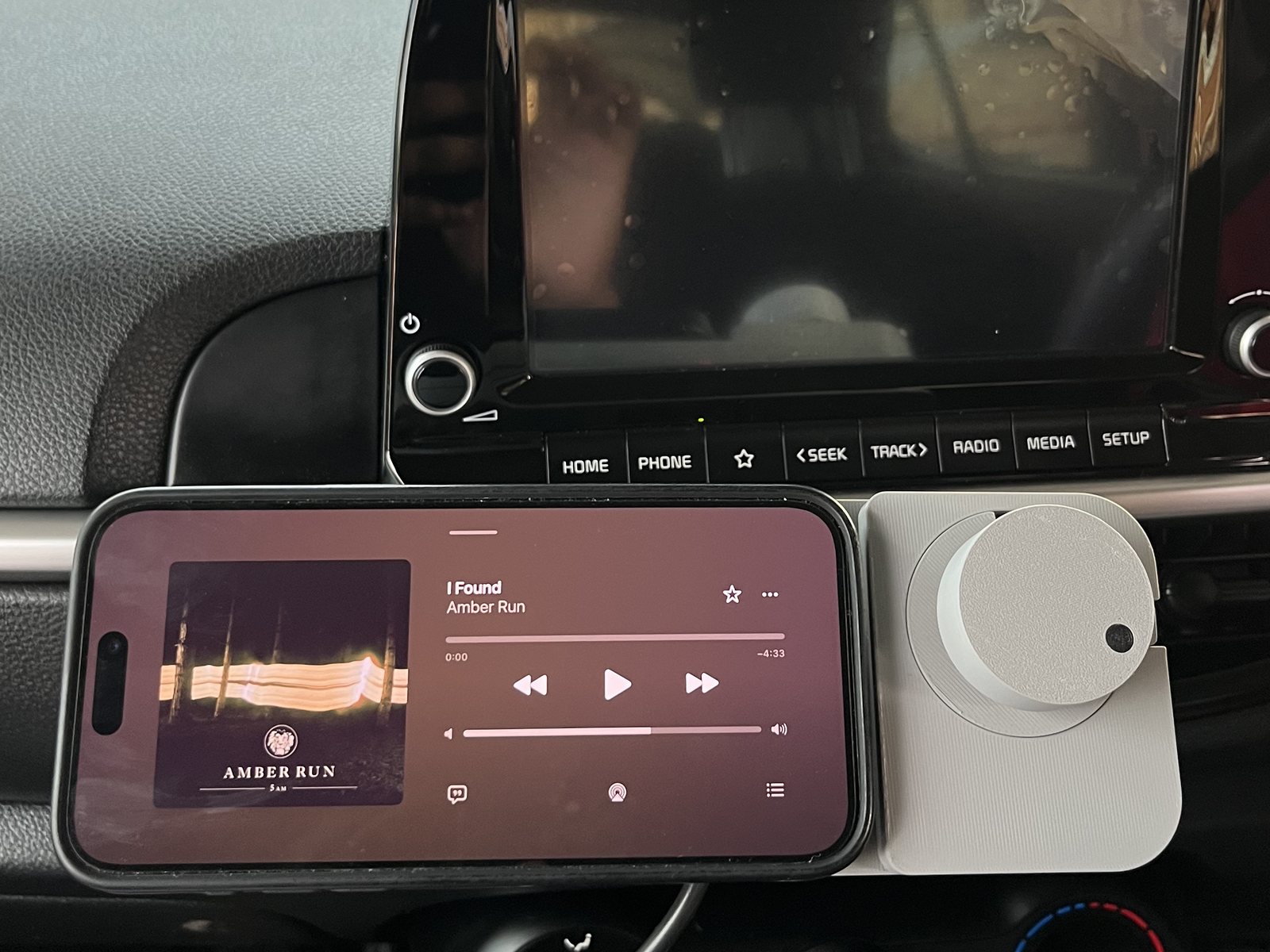
It sits beside your phone on the dash. Turn it for volume, press it to play or pause, and feel every click without taking your eyes off the road. It works with any music app, on iPhone and Android.
The problem
Most cars on the road have no CarPlay or Android Auto. The music comes from the phone, and every change means touching glass.
So the phone goes in a mount on the dash. Turning it down for a call, skipping a track or pausing a podcast means looking away from the road, finding a small target on a bright screen, and hoping the tap lands.
A car's own controls don't work like that. You find a volume knob by feel and turn it without looking, because every click tells your fingers what happened. The Knob brings that back, for the phone you already have.
The feel
The clicks aren't springs and ball bearings. A motor makes them, so the knob can feel like whatever the moment needs.
A small brushless motor sits under the knob, and a magnetic sensor reads its angle more than a thousand times a second. The firmware decides what you feel at every angle: firm clicks for volume, a spring that snaps back to skip a track, hard stops at silent and full. Because the motor can push as well as resist, the knob can also turn itself.
Volume 8 of 16
Drag around the knob to turn it. Each click is one volume step.
Demo The same feel model the app and firmware use, running in your browser. On an Android phone, yours buzzes with each click.
How it works
Mount, pair once, turn.
-
Mount
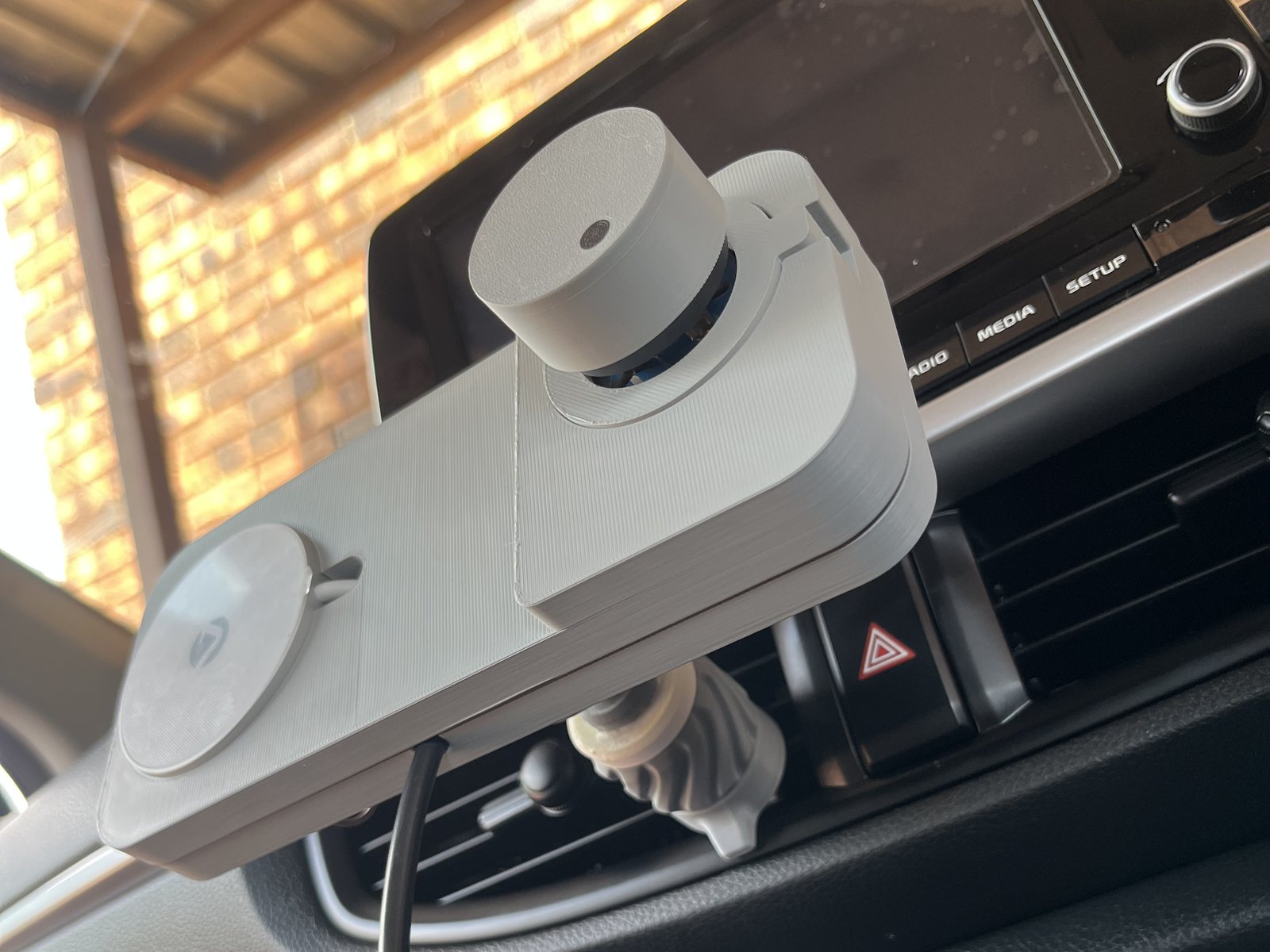
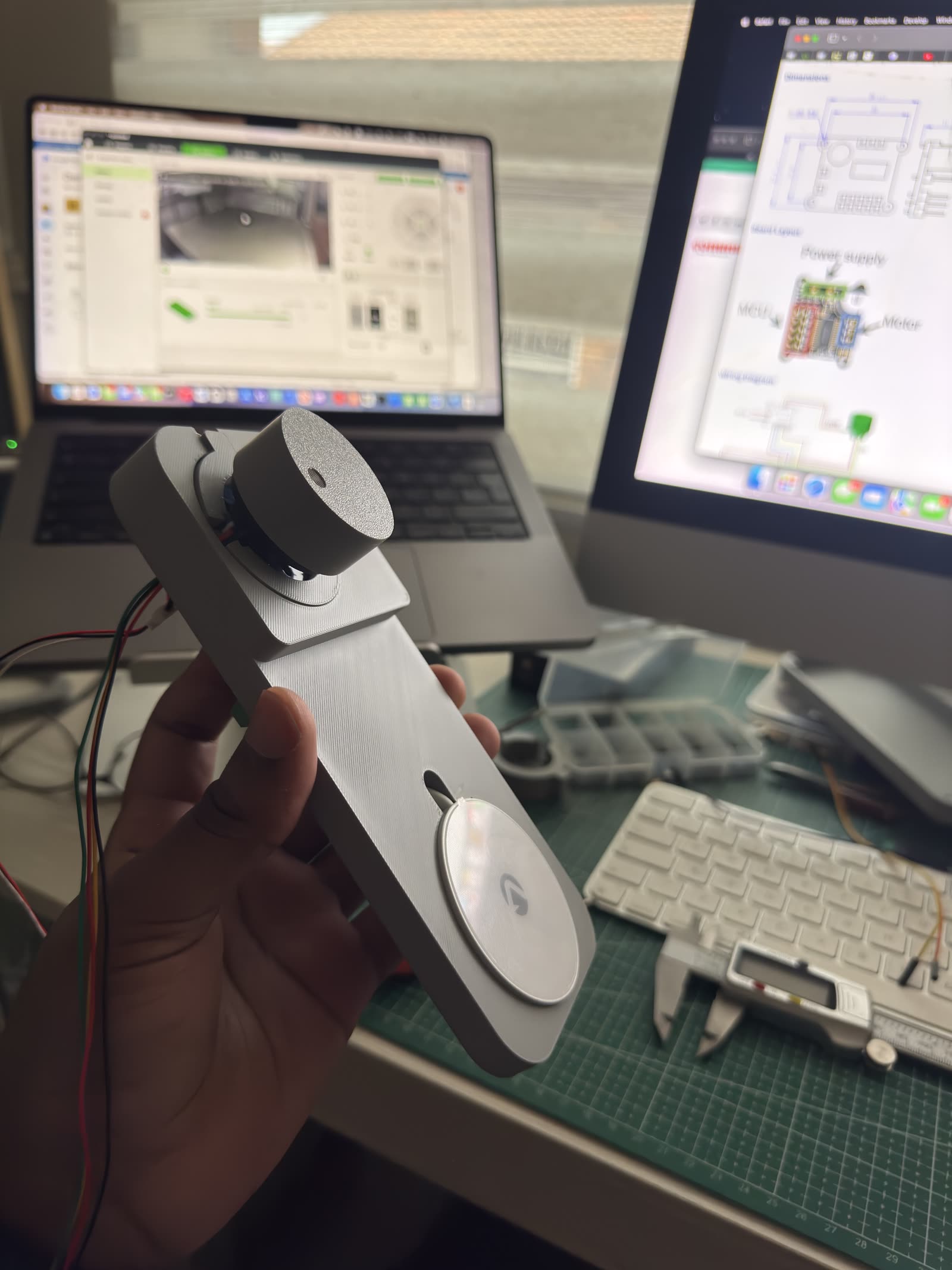
The phone snaps onto a MagSafe-style puck next to the knob, and charges while it sits there.
-
Pair once
The Knob pairs over Bluetooth like a pair of headphones. After that it reconnects by itself whenever the car starts.
-
Turn
Volume, play and pause, next and previous. It sends the same media keys as a keyboard, so every music and podcast app understands it, with nothing to install.
The app
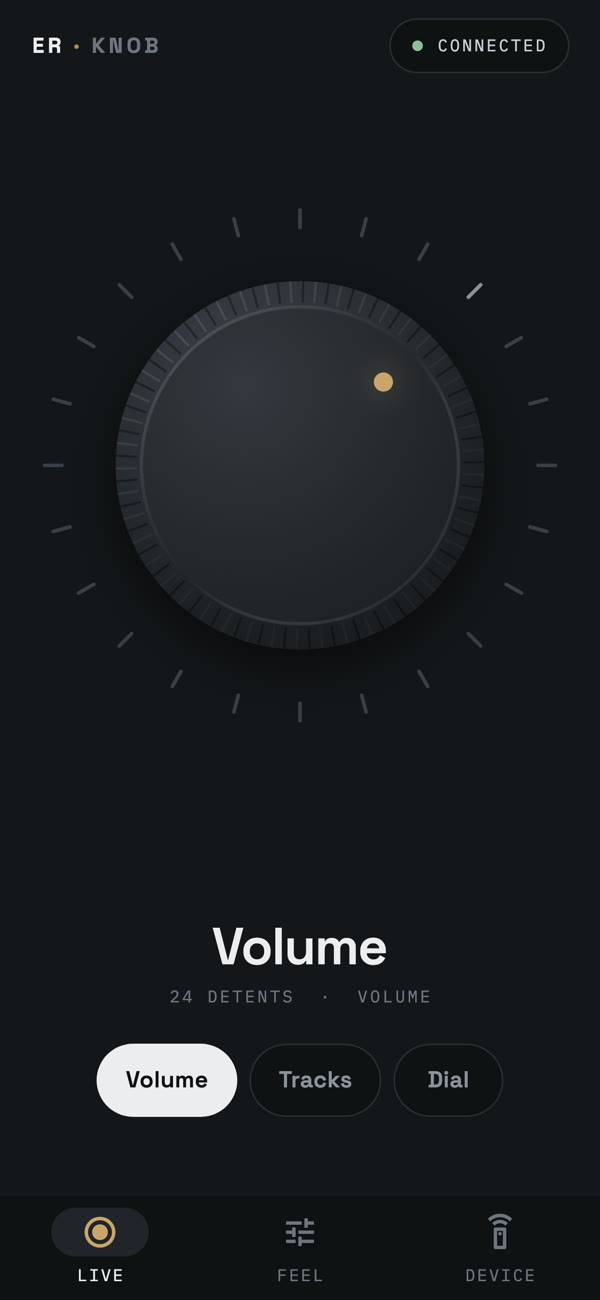
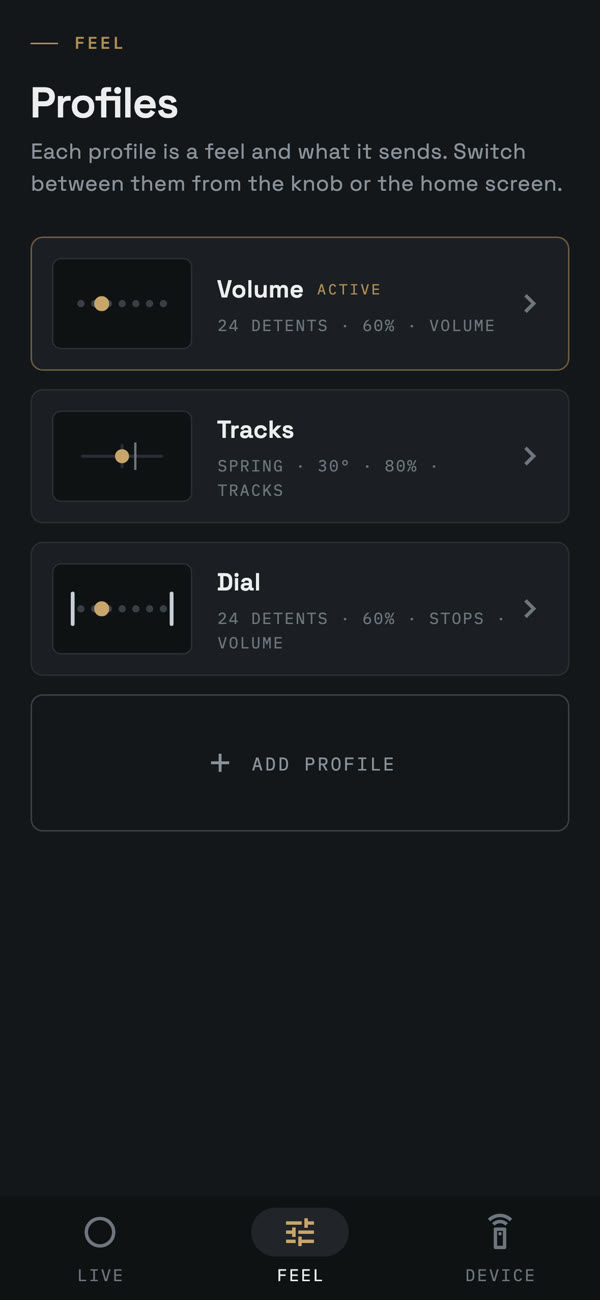
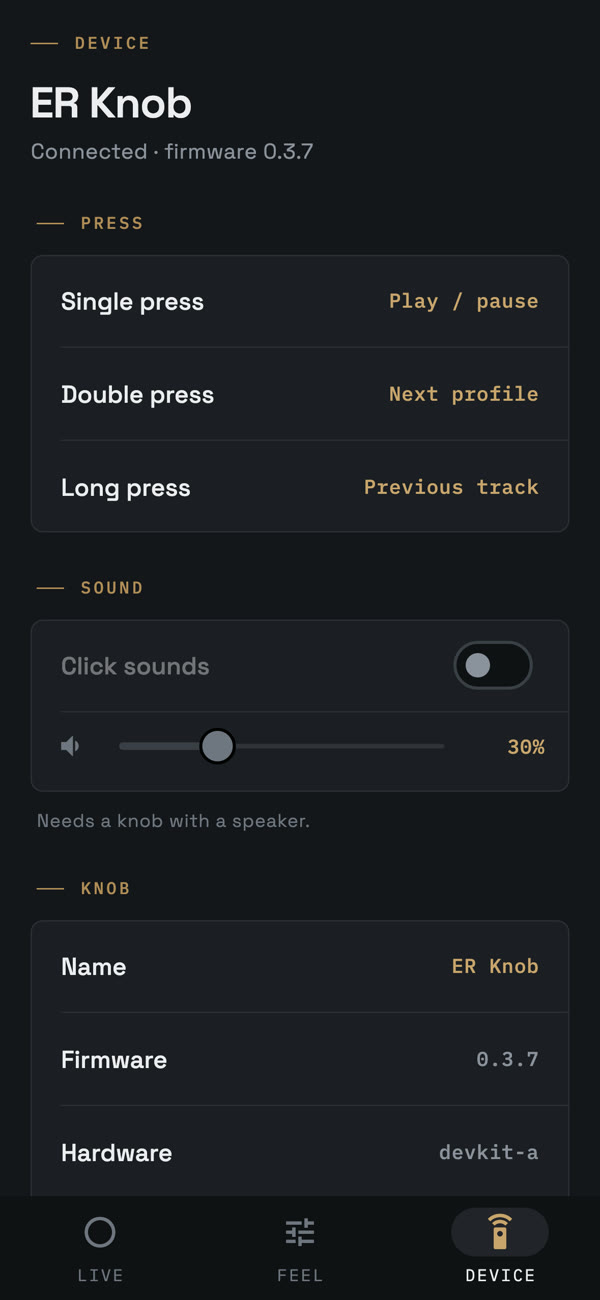
The Knob works without it. The app is where you shape the feel.
Set how strong the clicks are, how far the spring goes before it skips a track, where the stops sit, and what a press does. Changes are felt live as you drag the sliders, and saved on the knob itself. Firmware updates arrive over Bluetooth from the app.
On Android it goes further: it shows what's playing, opens by itself when the car starts, and can scrub through a track with the knob. With a volume dial set up, the knob turns itself to match when you change the volume on the phone.
Prototype specs
What's inside the prototype today.
- Motor
- Brushless gimbal motor, field-oriented control
- Sensor
- 12-bit magnetic angle sensor
- Controller
- Dual-core microcontroller: one core for the motor, one for Bluetooth
- Bluetooth
- Low Energy media keys, plus a control link for the app
- Phone
- MagSafe-style magnetic puck with charging
- Updates
- Over Bluetooth, from the app
- Body
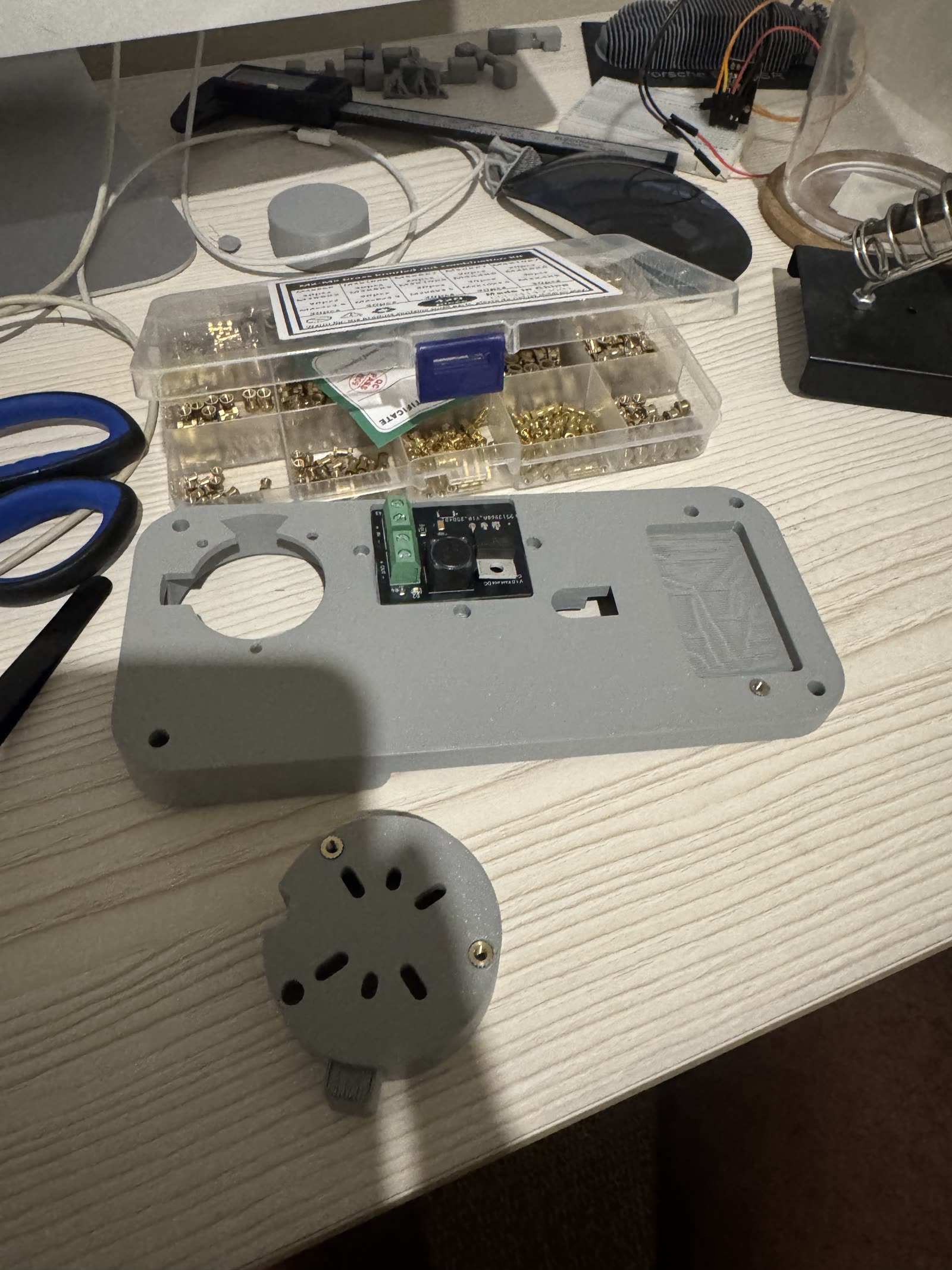
- 3D-printed, designed in Fusion 360
- Power
- Being finalised: the car's 12 V or USB-C
Build journey
From a rotary encoder to a knob that turns itself.
- Encoder A clicky rotary encoder sending media keys over Bluetooth, to prove the idea in a car.
- Sensor A magnetic angle sensor in its place: smooth, silent, and precise enough to fake any feel.
- App A companion app and a Bluetooth control link, so the feel can change without new firmware.
- Updates Firmware updates over Bluetooth, from the phone.
- Motor A brushless motor under the knob, and the feel became physical: clicks, springs and stops you can't see.
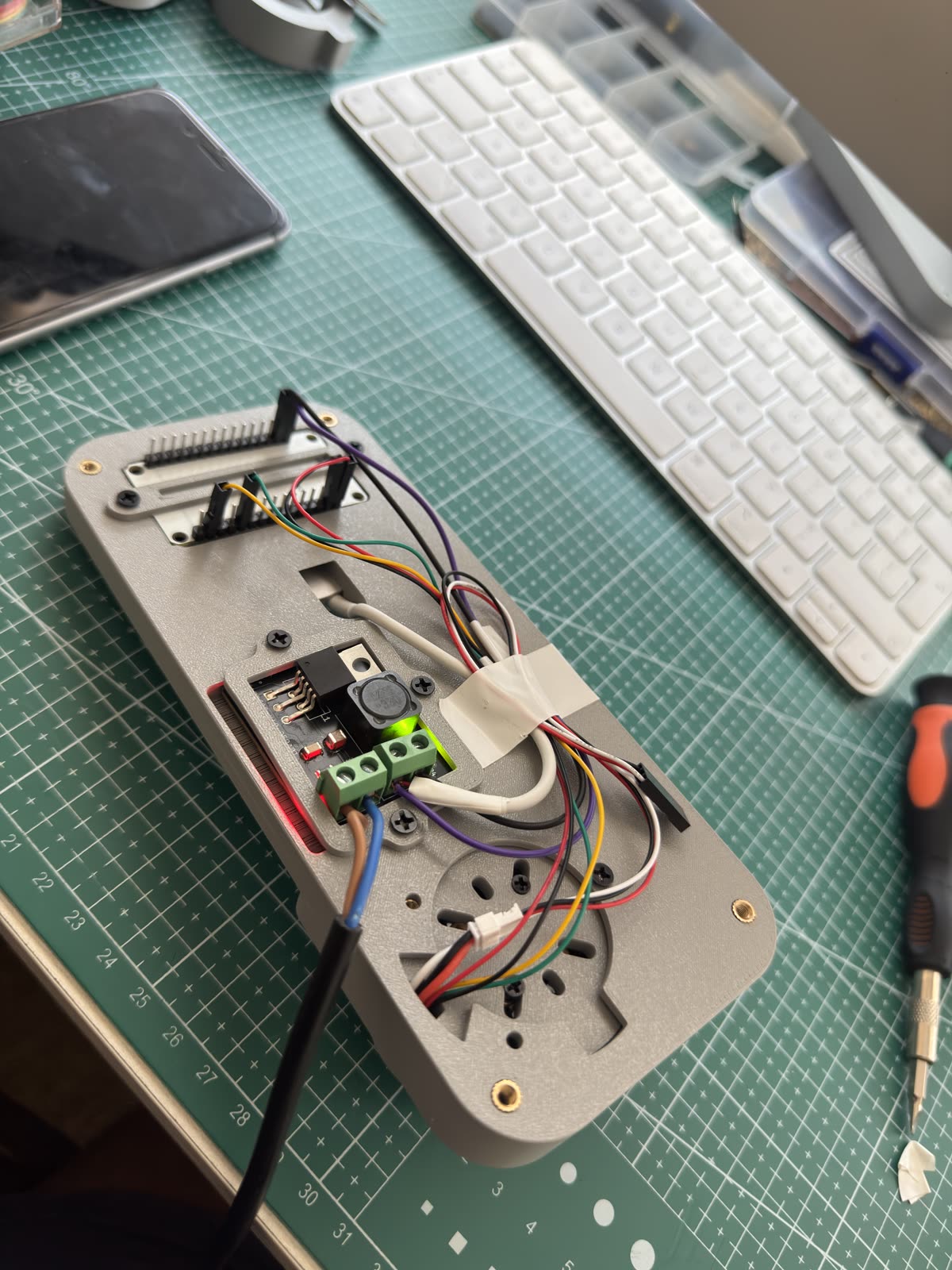
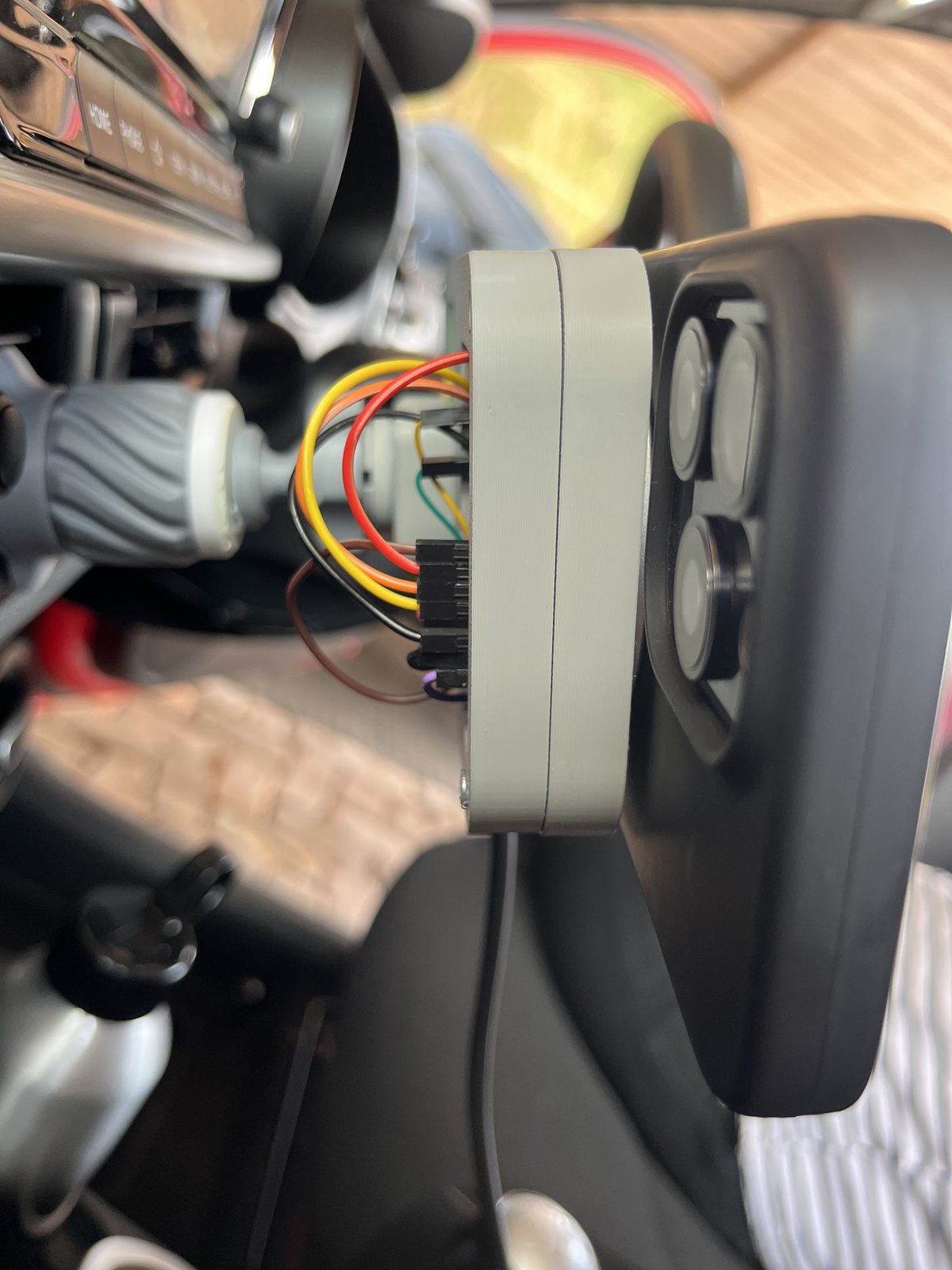
- Car Into the car for day-to-day driving, on an air-vent clip, with the wiring still showing.
Lab notes The full build log, with the dead ends, is coming to the lab notes.
Waitlist
Join the waitlist. Tell us your car, and we'll design for it first.
The Knob isn't for sale yet: it needs radio approval before it can be. We'll email when there's news, and not otherwise.
You're on the list.
FAQ
Does it work with iPhone and Android?
Yes. Volume, play and pause, and next and previous work on both, with any app, and without the Knob's app installed. Android lets the app do more: show what's playing, open by itself when the car starts, and scrub through a track. On iPhone the app shapes the feel and keeps the volume dial in step while it's open.
How is it different from CarPlay or Android Auto?
It isn't a car screen. It's a physical control for the phone you already mount on the dash, so it works in any car, with no head unit to replace and no wiring behind the dash.
Will my phone fit?
The prototype holds the phone on a MagSafe-style magnetic puck, so it suits iPhones with MagSafe and phones with a magnetic case or ring. The largest phones, like the Pro Max and Ultra models, are part of the design brief. Tell us yours on the waitlist.
How is it powered?
The prototype runs from a bench supply. The finished Knob will take the car's 12 V or USB-C; we're deciding which.
Do I need the app?
No. Pair it once like headphones and it works. The app is for changing the feel, updating the firmware, and the Android extras.
When can I buy one?
Not yet. It's a working prototype, and a Bluetooth product needs radio approval before it can be sold, starting with ICASA in South Africa. Join the waitlist and we'll tell you when that changes.
Is it safe to use while driving?
It's designed so you don't have to look at it: every action has a feel. Keep your eyes on the road and follow your local laws on using a phone in the car.
Your information
Who we are. Engineers Republic (Pty) Ltd is the responsible party for the details you send through this page.
What we collect and why. Your email address, car make and model, country and phone type, and any message you leave. We use them to tell you about the Knob and to decide which cars and phones to design for first. We also note which link brought you here, so we know what is working.
Counting visits. We count visits to this site without cookies. Our server notes the page, the site that sent you here and the type of device, and works out a daily code from your IP address and browser so it can count visitors once a day. The code changes every day and can't be used to identify you.
Who sees it. We don't sell your details. They are stored with Google Firebase, which may keep data on servers outside South Africa, and our emails are sent through Resend.
How long we keep it. Until the Knob launches, or until you ask us to remove you, whichever comes first.
Your rights. You can ask to see, correct or delete your information at any time by emailing hello@engineersrepublic.org. If you're unhappy with how we've handled it, you can complain to the Information Regulator at inforegulator.org.za.